

Google Unveils Experimental App for Windows to Revolutionize Search on Your PC
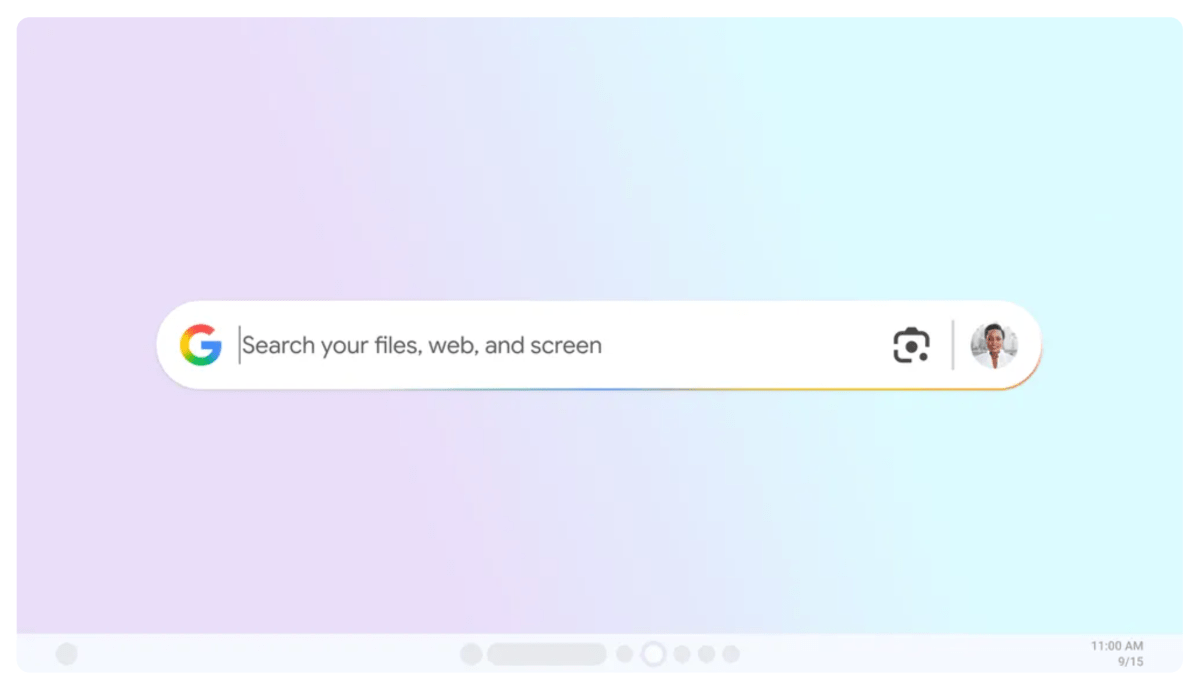
In an effort to enhance the way people find information on their computers, Google has introduced a new experimental app for Windows. Designed to streamline the search process, this app aims to bridge the gap between your local files, installed apps, Google Drive, and the web, all from one intuitive interface.
At its core, the app introduces a familiar yet powerful feature: the Alt + Space shortcut. Reminiscent of Mac’s Spotlight search, pressing these two keys instantly brings up a search bar that allows users to scour through files, apps, and even the web. Whether you’re looking for a misplaced document, a specific app, or information online, this feature promises to save time and reduce clutter.
One of the standout features of this app is its integration with Google Lens. By selecting text or images on your screen, users can perform a variety of tasks in real-time. For instance, you can quickly translate text, solve math problems, or even get insights into images. This functionality makes the app not just a search tool but a multifaceted productivity booster.
Another notable aspect is the app’s AI Mode, which provides deeper, more comprehensive responses to complex queries. Unlike traditional search, AI Mode allows users to ask multipart questions and receive answers that go beyond simple results. This makes it particularly useful for research, problem-solving, and tasks that require more than just a quick answer.
Customization is also at the forefront of this app’s design. Users have the ability to filter results by categories such as images, videos, shopping, and more, allowing for a more tailored experience. Additionally, the app supports dark mode, ensuring that it aligns with your system’s aesthetic preferences.
Availability and Requirements
For those eager to try out this new tool, Google has made it available through its Search Labs program. This initiative allows users to test early-stage features and provide feedback that will shape the app’s future development. Currently, the app is available in English and is compatible with PCs running Windows 10 or later. This limited release gives Google the opportunity to refine the app based on user input before a broader rollout.
What This Means for Users
The launch of this app signals Google’s commitment to improving the search experience beyond its traditional web-based interface. By bringing powerful search capabilities directly to your desktop, Google is addressing a common pain point for many users: the hassle of toggling between different apps and services to find what you need. With features like Google Lens, AI Mode, and customizable filters, this app has the potential to become an indispensable tool for both casual users and power users alike.
Moreover, the integration with Google Drive ensures seamless access to cloud-based files, making it easier than ever to manage your digital life from a single search bar. The ability to search across multiple platforms—your local files, installed apps, and the web—represents a significant step forward in search technology.
The Bigger Picture
This new app is part of a broader trend in tech where companies are striving to create more unified, intuitive experiences for users. By leveraging AI and machine learning, Google is aiming to make search smarter and more responsive to user needs. The inclusion of features like Google Lens and AI Mode suggests that the app is not just about finding information but also about helping users act on that information in meaningful ways.
In summary, Google’s new experimental app for Windows represents a promising stride in the evolution of search technology. With its intuitive design, robust features, and focus on user convenience, it has the potential to redefine how we interact with our computers and access information. Whether you’re a student, a professional, or simply someone looking to streamline your workflow, this app could be a game-changer. As it continues to develop based on user feedback, it will be exciting to see how it evolves and what additional features Google has in store.
For now, those in the U.S. with a Windows 10 or newer system can give the app a try and experience the future of search today.





No Comments